
UPS Battery Guide 2026: Which 12V Battery Lasts Longest in India
Compare UPS battery types, lifespan and replacement options for Indian homes, with practical checks before you buy.
Introduction
UPS battery replacement is often cheaper than buying another UPS, but only when the battery is actually the problem and the replacement matches the machine. A 12V label alone isn't enough. Chemistry, terminal size, case dimensions and charging design all matter.
For Indian homes and offices, heat and repeated power cuts can shorten backup time well before a battery looks damaged. Our practical recommendation is to check the UPS model and runtime under your real load before shopping.
This guide explains the trade-offs between sealed lead-acid, tubular and lithium batteries, how to estimate runtime, and when a professional repair is the better option.
What a UPS battery does during a power cut
The power path in a desktop UPS
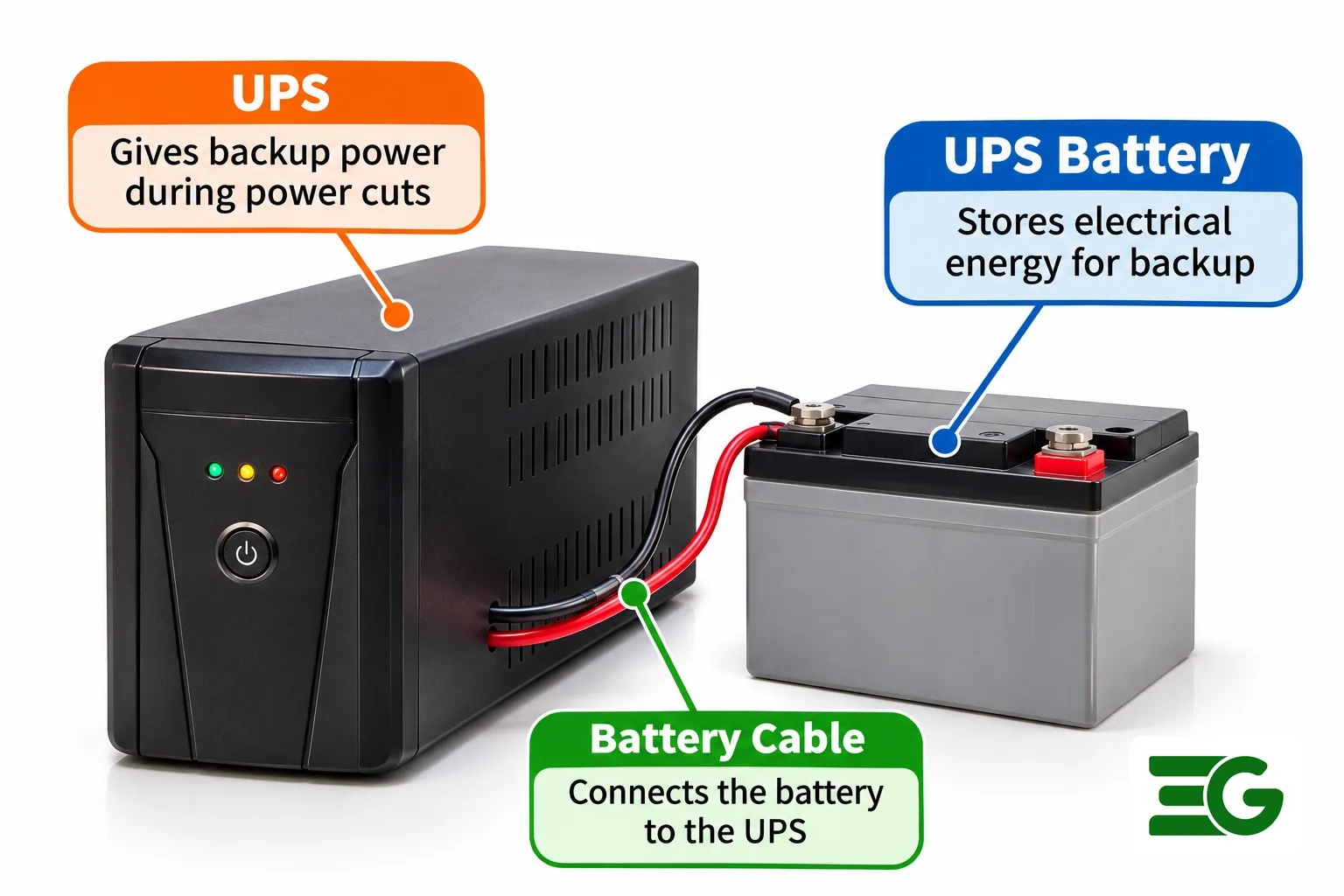
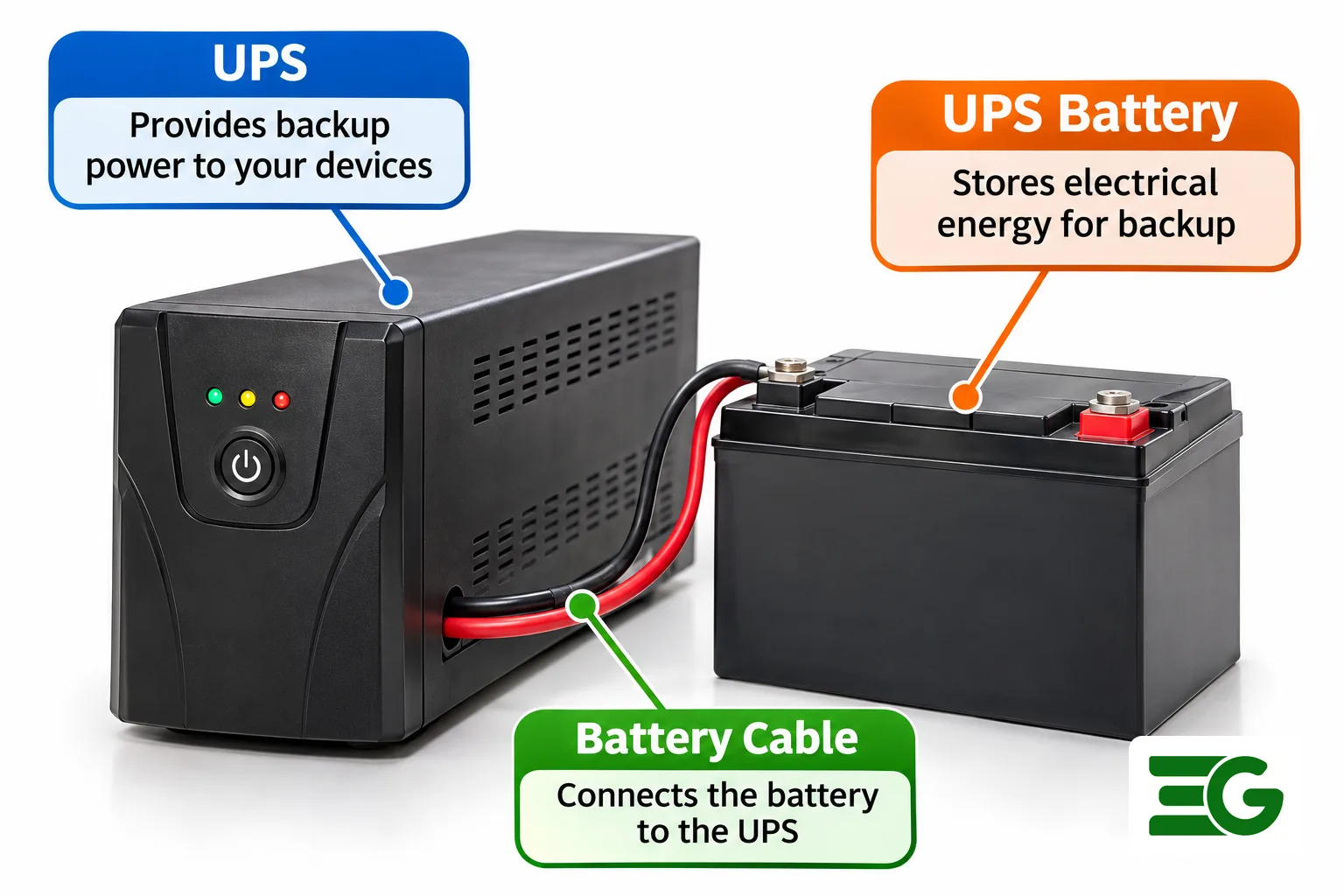
A UPS battery stores direct-current energy while the mains supply is available. When the input fails, the UPS switches to battery power and its inverter makes alternating current for the connected computer, monitor or router. The battery does not create extra power. It buys time to save your work and shut down safely. That distinction matters because a desktop UPS is generally designed for minutes of backup, not for running an entire home through an evening outage.
Voltage, capacity and load
Many compact units use one 12V sealed lead-acid battery, while larger models may use two or more batteries in series. A 12V 7Ah label describes nominal voltage and a capacity measured under specified conditions. Multiplying 12 by 7 gives 84 watt-hours of nominal stored energy, but you cannot expect to deliver all 84 watt-hours to a computer. Inverter losses, discharge rate, battery age and the UPS cutoff voltage reduce the usable amount. A high gaming-PC load can exhaust the same battery much faster than a Wi-Fi router.
Why the UPS model matters
Read the UPS model label and its service manual before buying a replacement. Two UPS units that look alike can have different battery voltages, connectors, dimensions and charging arrangements. A battery that fits inside the case is not automatically compatible. We would start with the manufacturer's replacement part number, then compare chemistry, voltage, terminal type and dimensions. That takes less time than returning a battery that cannot connect safely.
UPS battery types compared for Indian buyers
Sealed lead-acid and AGM
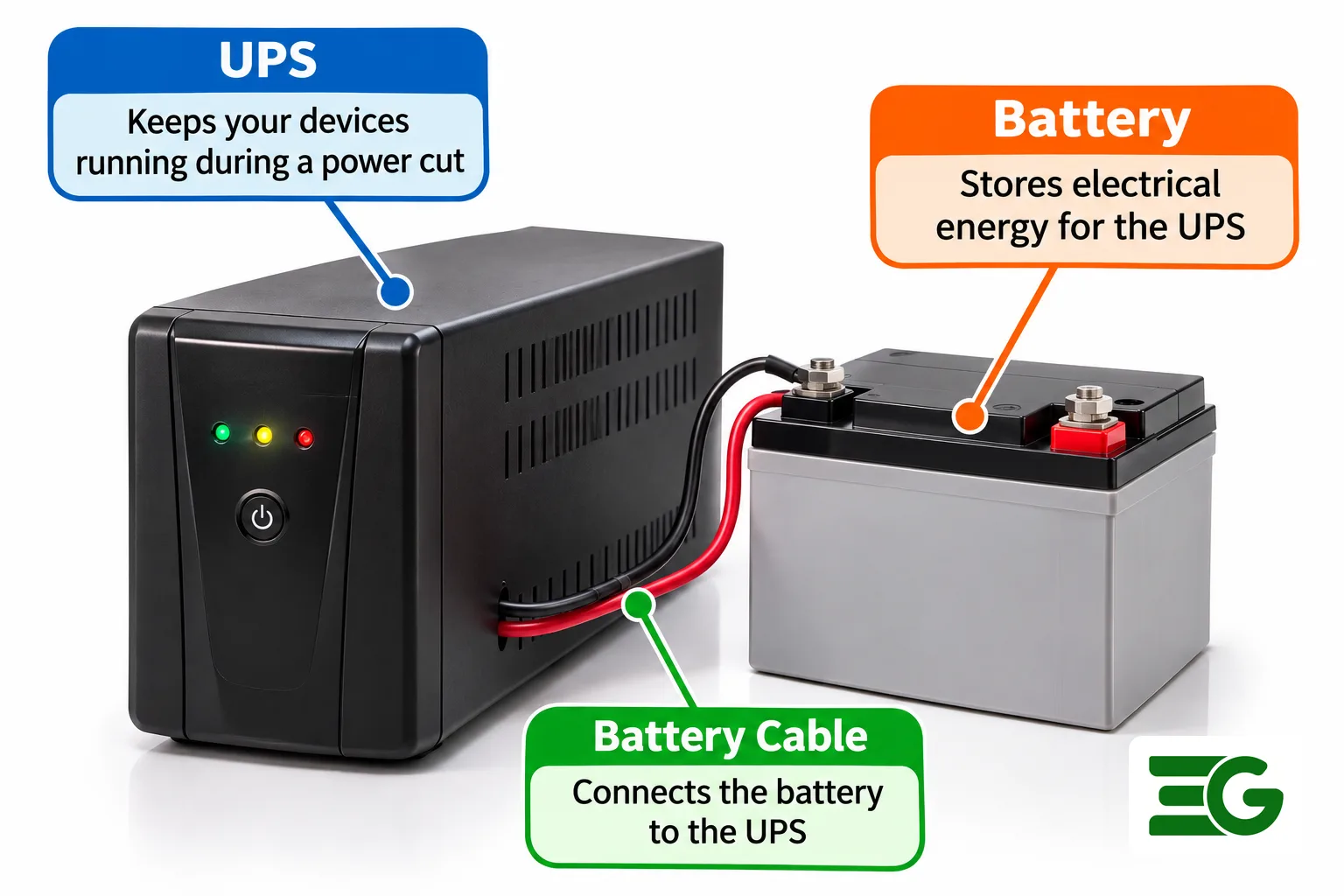
The usual desktop UPS battery is a sealed, valve-regulated lead-acid battery, often built with absorbent glass mat technology. It is compact, relatively affordable and designed to deliver high current for short periods. Exide lists VRLA batteries for shorter UPS backup duties, especially where space is limited. These batteries still age on standby. The phrase maintenance-free means you do not top them up with water; it does not mean you can ignore heat, swelling or declining runtime.
Tubular batteries for longer backup
A tubular lead-acid battery is more common with a home inverter and battery for home use than inside a small desktop UPS. It is larger and generally intended for longer discharge periods. Exide recommends tubular technology for demanding conditions, including higher ambient temperatures. It requires the correct charger and installation arrangement. We would not try to squeeze a tubular battery into a computer UPS or attach one simply because both are marked 12V.
Lithium and LiFePO4
Lithium-based UPS systems can offer longer service life and lower weight, but the electronics must be designed for that chemistry. A 12V-class LiFePO4 pack has a different charging profile from a 12V lead-acid pack and normally requires battery management protection. Replacing an AGM battery with a lithium pack without explicit manufacturer approval risks incorrect charging, protection trips or fire. For a new installation with frequent cycling, a purpose-built lithium UPS may make sense. For an ordinary existing desktop UPS, the specified AGM replacement is usually the simpler choice.
How long a UPS battery lasts in real conditions
Calendar life versus runtime
A battery's service life is the number of years before replacement. Runtime is how many minutes it supports the load during one outage. Those are different questions. Vertiv says VRLA UPS batteries typically last around three to five years in a controlled 20 to 25 degree Celsius environment. Lithium UPS batteries can last longer in compatible systems. Neither figure is a promise for a hot cupboard in Jaipur. We would judge a battery by actual backup performance as well as its age.
Heat and repeated discharges
Heat is hard on lead-acid chemistry. Vertiv explains that raising operating temperature substantially above the recommended range can sharply shorten VRLA life. A UPS pressed against a wall, buried under paperwork or placed near a sunny window may run hotter than the room. Frequent power cuts also mean more charge and discharge cycles. Keep vents clear and the UPS away from water. If the battery is hot, swollen, leaking or giving off an unusual smell, stop using it and seek service.
Warning signs you can check
A low-battery alarm soon after the mains fails, a sudden shutdown under a familiar load or a failed self-test can indicate a worn battery. But first check the load, wall power, cables and UPS fault indicators. A recently added graphics card may have increased consumption. A UPS that has sat unplugged for months may simply need charging according to its manual. Do not repeatedly deep-discharge a weak battery to prove it is bad. One controlled runtime test with a noncritical load is more useful.
UPS battery versus inverter battery for home
Different backup jobs
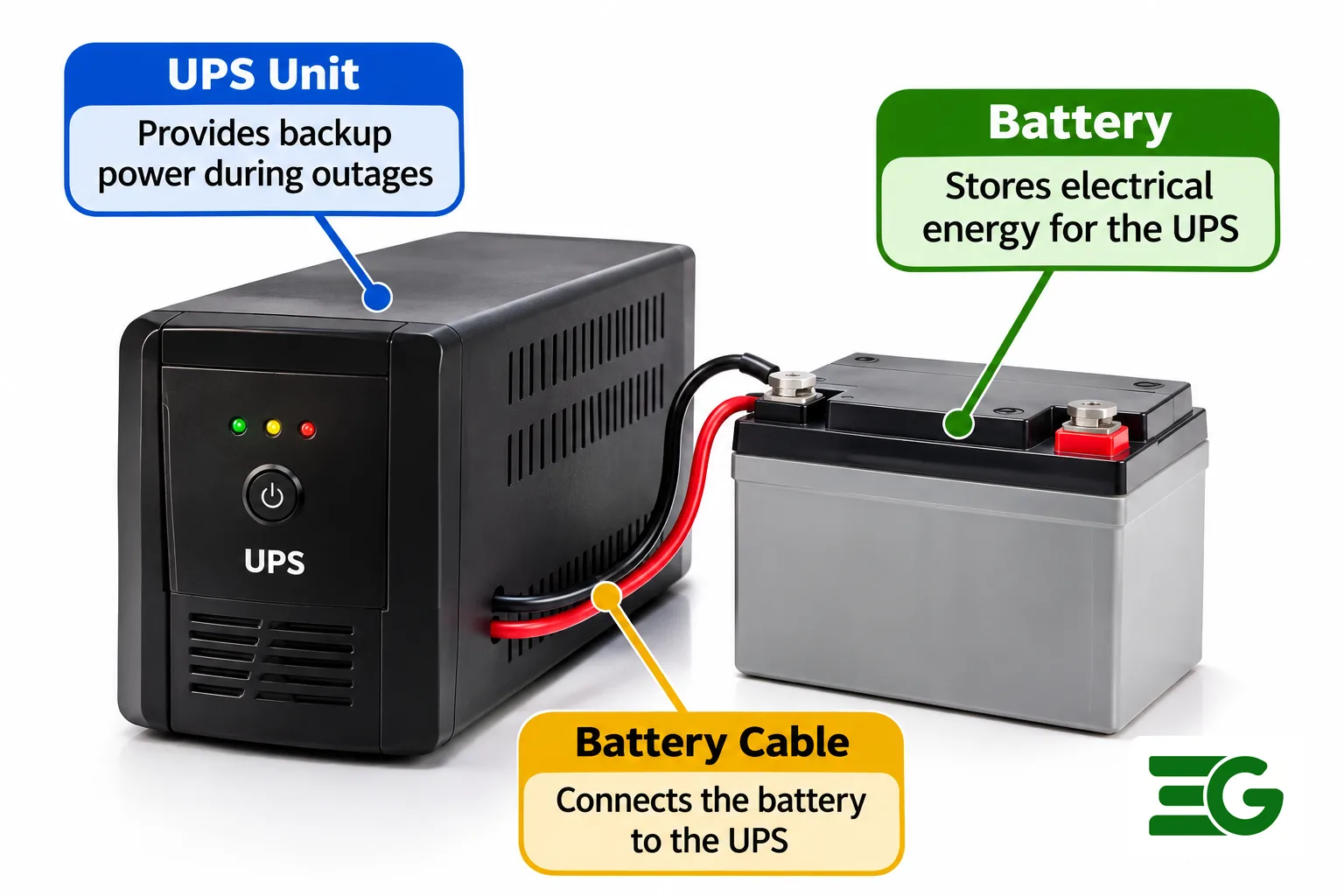
A computer UPS is selected for fast changeover and a controlled shutdown. A household inverter often prioritises longer runtime for fans, lights and other selected circuits. The battery bank follows that job. A compact UPS may use a 12V 7Ah or 9Ah AGM battery. A home inverter may be paired with a much larger deep-cycle battery, depending on its DC input and required backup. The bigger battery is not necessarily a better replacement for a desktop UPS.
Compare before buying
| Use | Common battery approach | What to verify |
|---|---|---|
| Desktop PC UPS | Sealed VRLA or AGM | Exact model, voltage, terminals, size |
| Router backup | Purpose-built mini UPS or compatible pack | Output voltage, polarity, current |
| Home inverter | Deep-cycle tubular or approved lithium bank | Inverter DC voltage and charger profile |
| Solar backup | Battery specified for solar controller | Charge settings and cycle rating |
We prefer this use-based comparison to a generic list of 'best batteries'. A reliable choice is the one the equipment can charge and discharge correctly.
A note about 9V batteries
A small rectangular 9V battery is not a substitute for a 12V UPS battery. Its voltage, connector and energy capacity are different. Some 9V rechargeable products also have different nominal output voltages depending on chemistry. If your project uses a 9V battery for a sensor or instrument, choose the charger and power supply for that product separately. Do not connect a 9V battery to the UPS battery terminals.
Calculate backup time without false promises
Start with energy, not amp-hours alone
A useful first estimate is nominal watt-hours equals battery voltage multiplied by amp-hours. For a 12V 7Ah battery, that is 84Wh. If a hypothetical 100W load could use 60 percent of that energy after losses and discharge effects, the arithmetic would give about 30 minutes. This is an illustration, not a predicted runtime. Small lead-acid batteries lose effective capacity at high discharge rates, so actual UPS runtime can be considerably shorter.
Check the manufacturer's runtime curve
A UPS runtime chart is more reliable than a simple watt-hour division. Look up the exact UPS model and read the curve at the load you expect. Include the monitor if it is connected. Measure consumption with a suitable power meter when practical. A UPS advertised in VA cannot be compared directly with a PC's watt rating without considering the unit's rated watts and power factor. Never exceed the manufacturer's output rating.
Work backwards from the shutdown goal
For a desktop computer, ask whether you need five minutes to save work or enough time to ride through a short cut. If the UPS can already provide safe shutdown time, buying a much larger battery may add cost without solving a real problem. For an internet router, a dedicated DC mini UPS can avoid an extra DC-to-AC conversion, but only if its output voltage and polarity match the router. We would verify those details before connecting anything.
Replace a UPS battery safely, step by step
Before opening the case
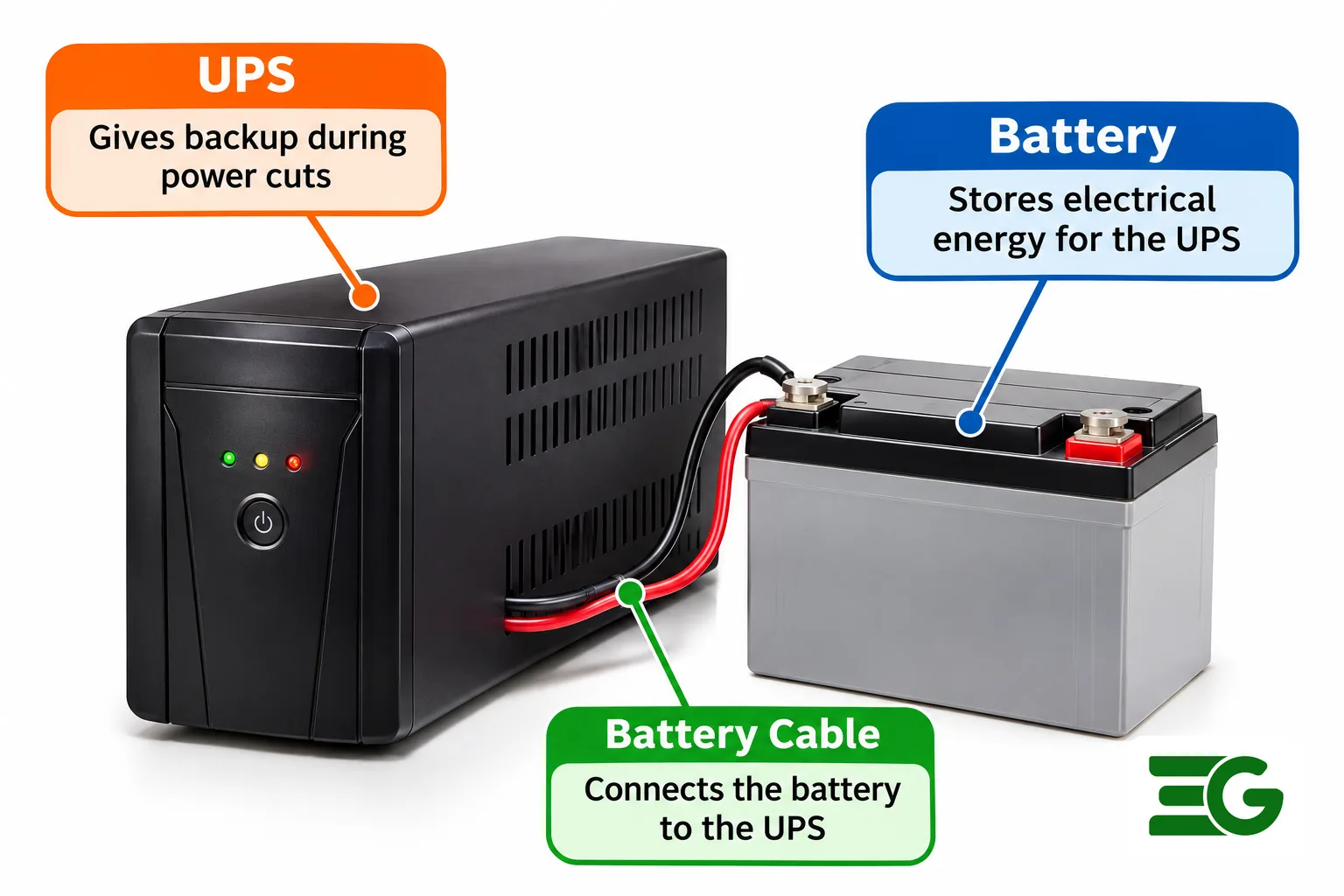
First consult the manufacturer's service instructions. Some UPS batteries are user-replaceable behind a dedicated panel; other units require qualified service. Never open the main electronics compartment or touch exposed mains circuitry. A UPS can retain hazardous electrical energy after unplugging. If the battery is swollen, leaking, unusually hot or stuck, stop and contact a technician. Replacement should be done with the UPS disconnected from mains and loads, following its approved procedure.
The approved replacement sequence
- Record the UPS model, battery part number, nominal voltage, Ah rating, dimensions and terminal arrangement.
- Obtain an approved replacement of the correct chemistry and specifications.
- Shut down connected equipment, turn off the UPS and disconnect it according to the manual.
- Open only the designated user-serviceable battery panel, if your model provides one.
- Follow the manufacturer's connector removal and reconnection instructions without bridging terminals with metal tools.
- Secure the battery, close the panel, reconnect power and allow the specified recharge time.
- Run the UPS self-test and a controlled load test according to the manual.
If any step differs from your manual, the manual wins. Do not improvise wiring or bypass a fuse.
Recycle the old battery
A used lead-acid battery belongs in an authorised collection or dealer take-back channel, not household rubbish. Ask the seller about a buy-back or exchange credit and request an invoice for the new battery. The credit varies by location and condition, so do not treat an online anecdote as a guaranteed price. We would also write the replacement date on a removable label outside the UPS. That makes future diagnosis easier without opening the case.
Prices, chargers and buying checklist in India
Use prices as a check, not a promise
Retail prices change with brand, capacity, warranty, location and exchange credit. Exide publishes a maximum recommended consumer price list for its institutional UPS batteries, which is a more defensible reference than an isolated marketplace listing. For example, its September 2025 list shows a 12V 26Ah NXT Plus battery at ₹4,609 and a 12V 42Ah unit at ₹5,992. Those are not quotes for the smaller 7Ah desktop battery and should not be used as such. Confirm the current price and stock with the seller.
Choosing a rechargeable battery charger
A rechargeable battery charger must match the chemistry and charging requirements of the battery. Most UPS units have a built-in charger designed for their original battery type. A separate automotive lead-acid charger is not automatically suitable for a small sealed UPS battery. Likewise, a LiFePO4 charger is not interchangeable with an AGM charger. For AA, AAA or 9V rechargeable batteries, use a charger specifically rated for those cells. The battery label and charger manual should agree before connection.
A practical shopping checklist
- Match the UPS manufacturer's battery part number or approved equivalent.
- Confirm nominal voltage and number of batteries in the bank.
- Check case dimensions, terminal size, polarity and cable reach.
- Choose the specified chemistry and acceptable Ah rating.
- Compare warranty, manufacturing date, seller support and recycling options.
- Ask for the total price after any old-battery exchange credit.
You can browse ElectroGlobal batteries and battery accessories for electronics projects. For a complete household inverter installation, use a qualified installer and the inverter manufacturer's compatibility list.
Common mistakes and when to buy a new UPS
Replacing the wrong part
A UPS that will not turn on may have a dead battery, but it may also have a failed charger, damaged relay or other electronics fault. If the UPS shows a persistent hardware error, smells burnt or cannot charge a known-good compatible battery, buying another battery is poor value. Get the UPS assessed. If the casing is damaged or replacement parts are unavailable, replacing the whole unit can be the safer choice.
Oversizing and mixing batteries
Do not mix an old battery with a new one in a series bank unless the manufacturer explicitly permits it. Differences in capacity and internal resistance can cause uneven charging and premature failure. A higher Ah rating can also mean a larger case and longer recharge time. More capacity does not fix an undersized UPS inverter. We would upgrade the UPS itself when the connected load exceeds its rated watts.
Protecting battery life
Keep the UPS in a ventilated, dry place, use the load range recommended by the manufacturer and let it recharge after an outage. Avoid running a lead-acid battery flat as a routine test. Inspect for swelling and damaged connectors during approved service checks. For a router or small maker project, a correctly rated 12V battery pack may be useful, but it is not a drop-in UPS replacement. Check its output and charging requirements first.
Conclusion: match the battery to the UPS
For a desktop UPS, the safest purchase is normally the manufacturer-approved sealed battery with the correct terminals and dimensions. For longer home backup, select an inverter and battery bank together rather than treating a PC UPS as a household power system. Compare battery options in the ElectroGlobal battery category, then confirm compatibility with your equipment manual before ordering.
Tagged